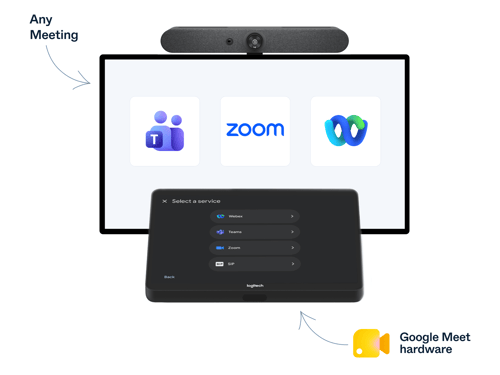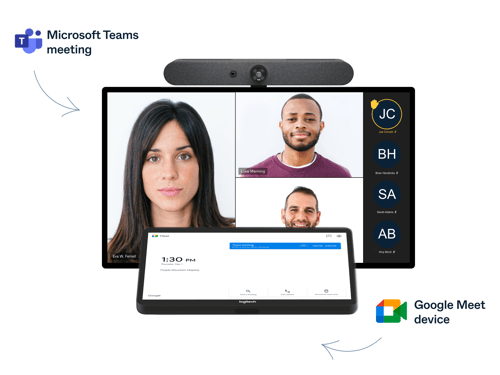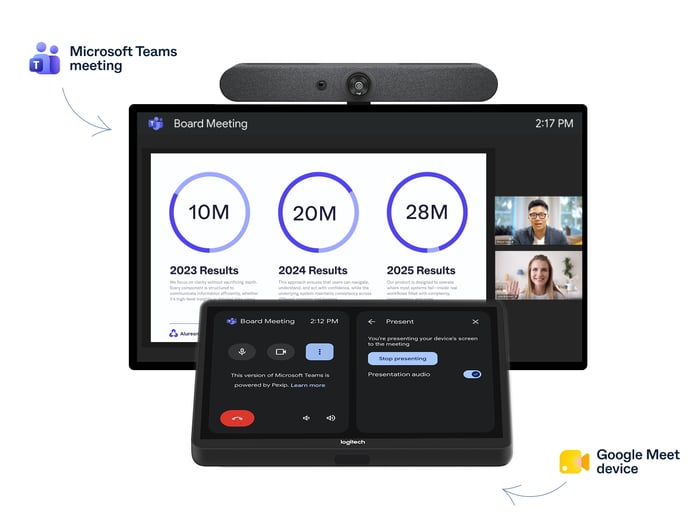


Google Meet hardware users can now share content into Microsoft Teams meetings in addition to other third-party meetings using the room’s HDMI or USB-C cable. Simply plug in your laptop and present, just as you would in a Google Meet meeting.
Joining a meeting is one thing. Fully participating is another. Sharing content is a big part of how we present ideas, add context, and make decisions in meetings. And the longer the meeting, the more likely content sharing becomes. Content sharing happens in three of every four Pexip interoperability meetings into Microsoft Teams lasting at least 30 minutes1.
With added content sharing in Pexip Connect for Google Rooms, users can now both receive and share content while staying in the Google Meet hardware experience, whether the meeting is hosted on Teams, Zoom, Webex, or any other supported platform. And it works both ways: With Pexip, Microsoft Teams Rooms can already share content into Google Meet, giving users the same simple way to present across room systems and meeting platforms.
This has been one of the most requested features from our customers, and Pexip Connect is currently the only interoperability solution to support two-way content sharing from Google Meet hardware in Teams meetings.
What you get with Pexip Connect
- Share your screen from Google Meet hardware into Teams, Zoom, Webex, and other third-party meetings joined via SIP
- Receive shared content the other way too, including from Teams Rooms presenting into Google Meet
- Use the room as you normally would, and simply connect your laptop via the native cable or other content sharing option, and present
- A consistent experience across both the classic and new Meet UI
- Centralized visibility for IT through Pexip Control Center
How Pexip Connect works
Your room joins the third-party meeting through Pexip Connect the same way it does today. To present, connect your laptop to the room's HDMI or USB-C content cable. Pexip Connect sends the content into the meeting, so remote participants see your screen alongside the room's camera feed.
There is no additional software to install in the room. For users, sharing content works through the familiar HDMI connection, while IT retains centralized analytics and reporting through the Pexip Control Center.
Beyond content sharing
Two-way content sharing is one part of the cross-platform experience Pexip Connect provides. Compared with Direct Guest Join (DGJ), Pexip Connect also offers users and IT teams more capabilities when Google Meet hardware joins third-party meetings.
Making Google Meet rooms work across platforms
Content sharing joins SIP join as the latest capability to expand what Google Meet hardware can do in third-party meetings. SIP join made it easier for Google Meet rooms to join third-party meetings. HDMI content sharing now makes it easier to participate once you’re there.
For organizations using Google Meet hardware in a multi-platform environment, Pexip Connect helps make the room work beyond Google Meet, so users can get more from meetings across the platforms their customers, partners, and colleagues use every day.
And the benefits extend to IT teams. With Pexip Control Center, they get visibility into meeting activity, quality, and usage across Pexip Connect meetings, helping them manage and troubleshoot the cross-platform meeting experience.
As meeting platforms build closer native ties with each other, Pexip Connect goes further than getting you into the meeting. It gives users more ways to participate and IT more visibility and control, no matter the meeting platform.
- Enterprise
- Google Rooms interop
- Connect